
Where to enhance equipment
Visit Copperbeard in Redtile Town to select gear, check the quote, and confirm the result.
- Where to start
- West side of Redtile Town → Copperbeard, Blacksmith → Enhance equipment
-
Find Copperbeard by the furnace
Return to Redtile Town and look for the building with a lit furnace on the left side. Approach Copperbeard the blacksmith, press Space or Enter to talk, and choose Enhance equipment.
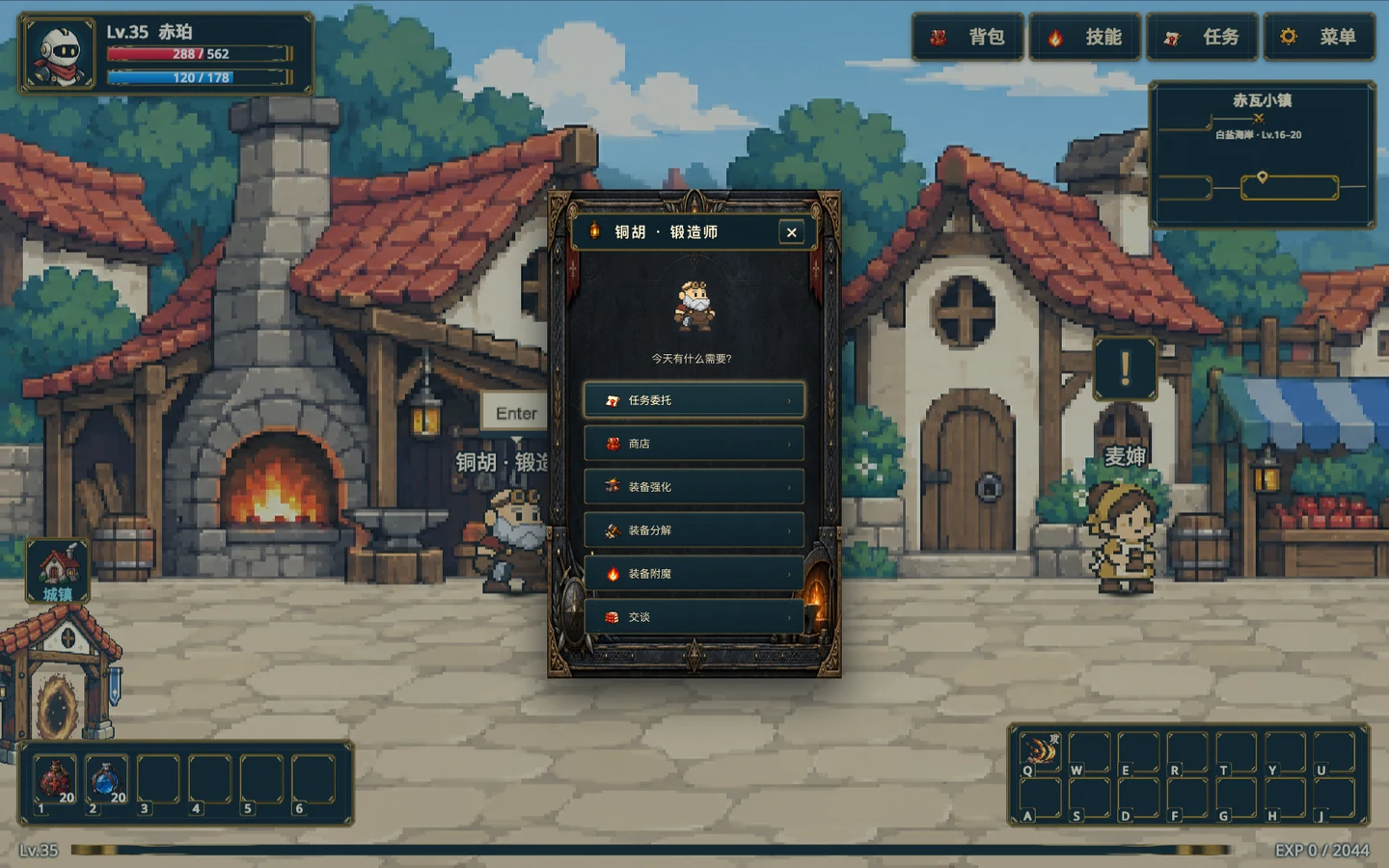
Copperbeard is by the furnace. Choose Enhance equipment in his service menu. Gameplay screenshot · click to enlarge -
Select an item and check the quote
In Copper Forge, click a piece of worn gear or bag equipment on the right, or drag it onto the anvil on the left. Check the item and target level, the stat preview, success rate, gold, and materials. For a first attempt, try +0 to +1 on your current weapon.
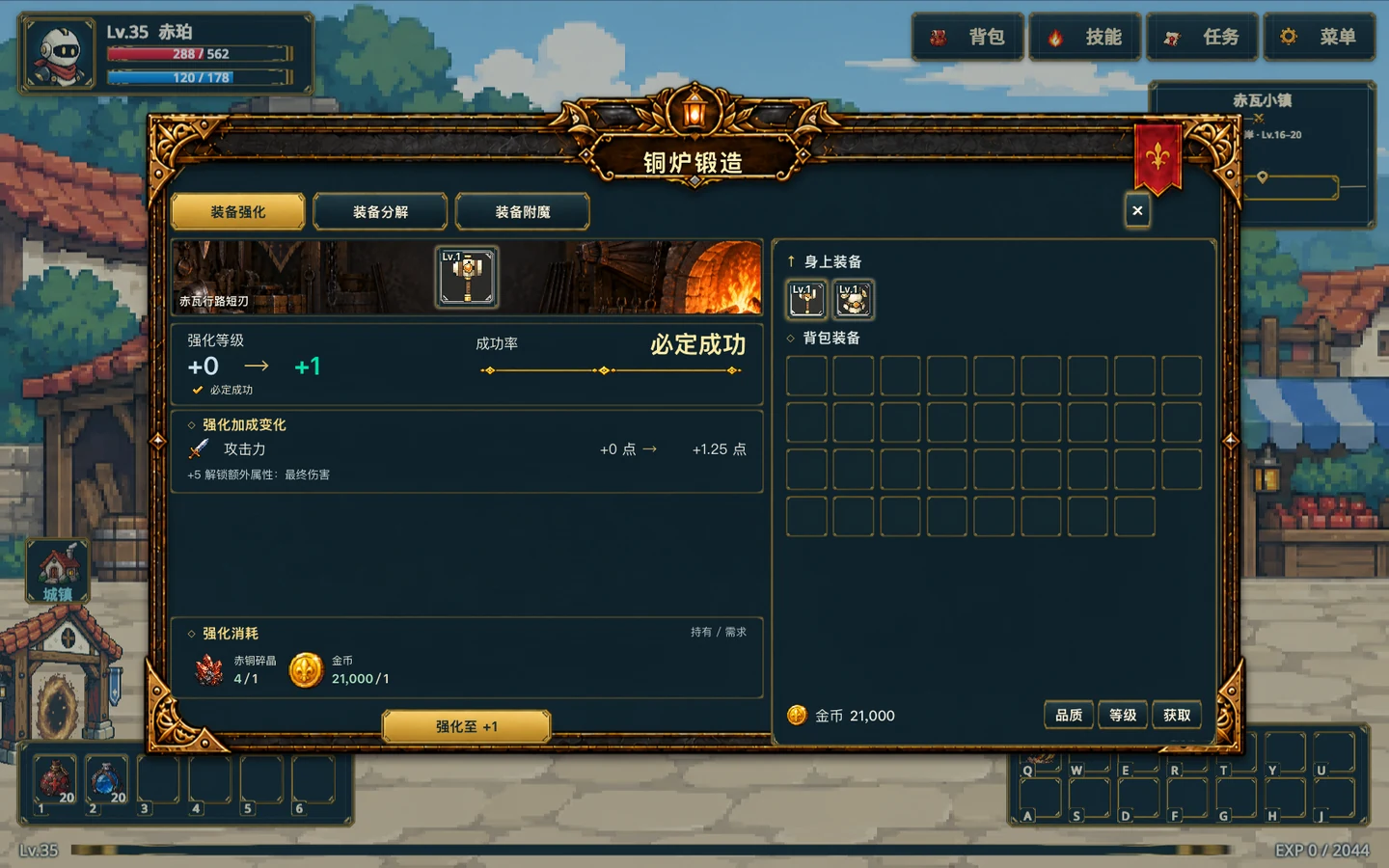
Choose gear on the right. Compare the before and after stats, chance, and cost on the left. Gameplay screenshot · click to enlarge -
Enhance and verify the result
After checking the cost, choose Enhance to +1 or the current target level. Wait for the result in the forge. A success updates the item’s enhancement level. Reaching +5 unlocks one bonus stat for that slot.
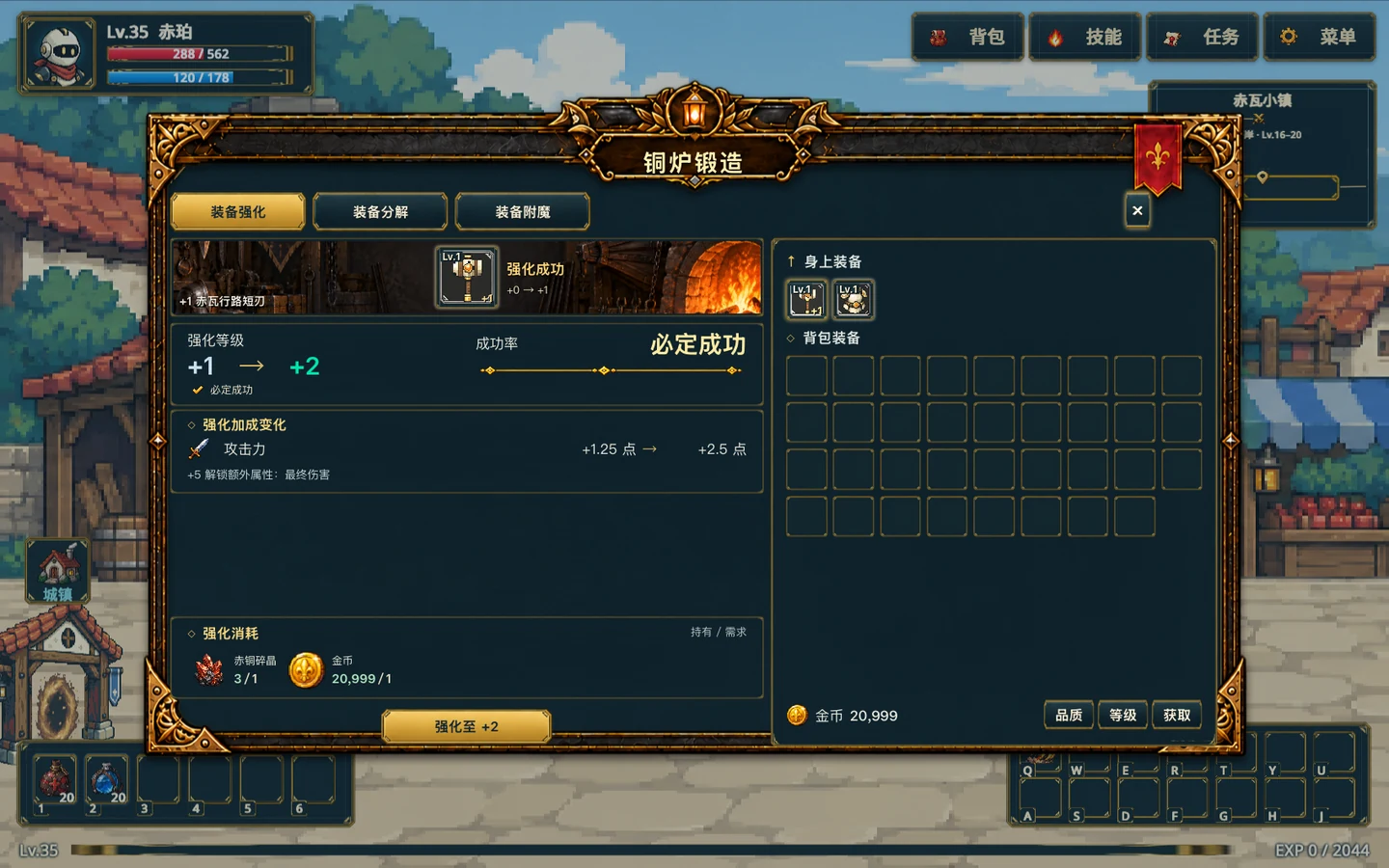
The result stays in the forge. The item is now +1, and the next quote is +1 to +2. Gameplay screenshot · click to enlarge -
Check failure costs at higher levels
A failed attempt targeting +1 through +15 lowers the item by one level, down to +0. Starting at +11, you need dismantling materials of the same rarity. From +16, failure destroys the item. Use Enhancement Protection with enough extra materials to prevent destruction on failure. The item still loses one level.
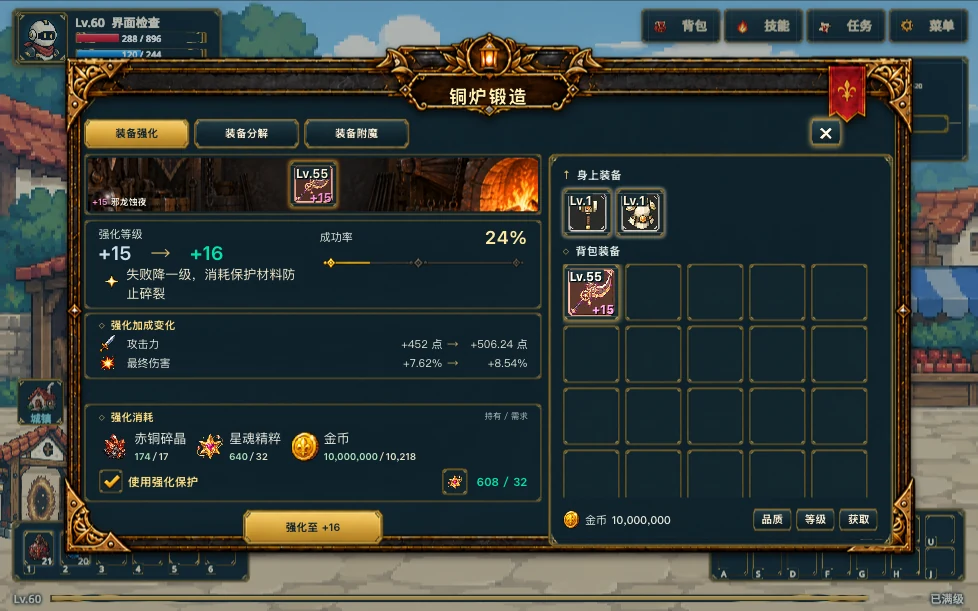
Higher-level quotes show the failure outcome, the protection checkbox, and the required materials. Gameplay screenshot · click to enlarge