
Find drop sources and store gear
Find sources in the Fame Codex and store items in Homeward Courtyard.
- Where to start
- Adventure menu → Fame Codex. West exit of Greensail Harbor → Homeward Courtyard → Storage
-
Open an item’s sources in the Codex
Press Esc to open the adventure menu and go to Fame Codex → Collection → Equipment. Filter by rarity or school, then click an entry to see its sources. Uncollected entries also show available region, drop, or level clues.
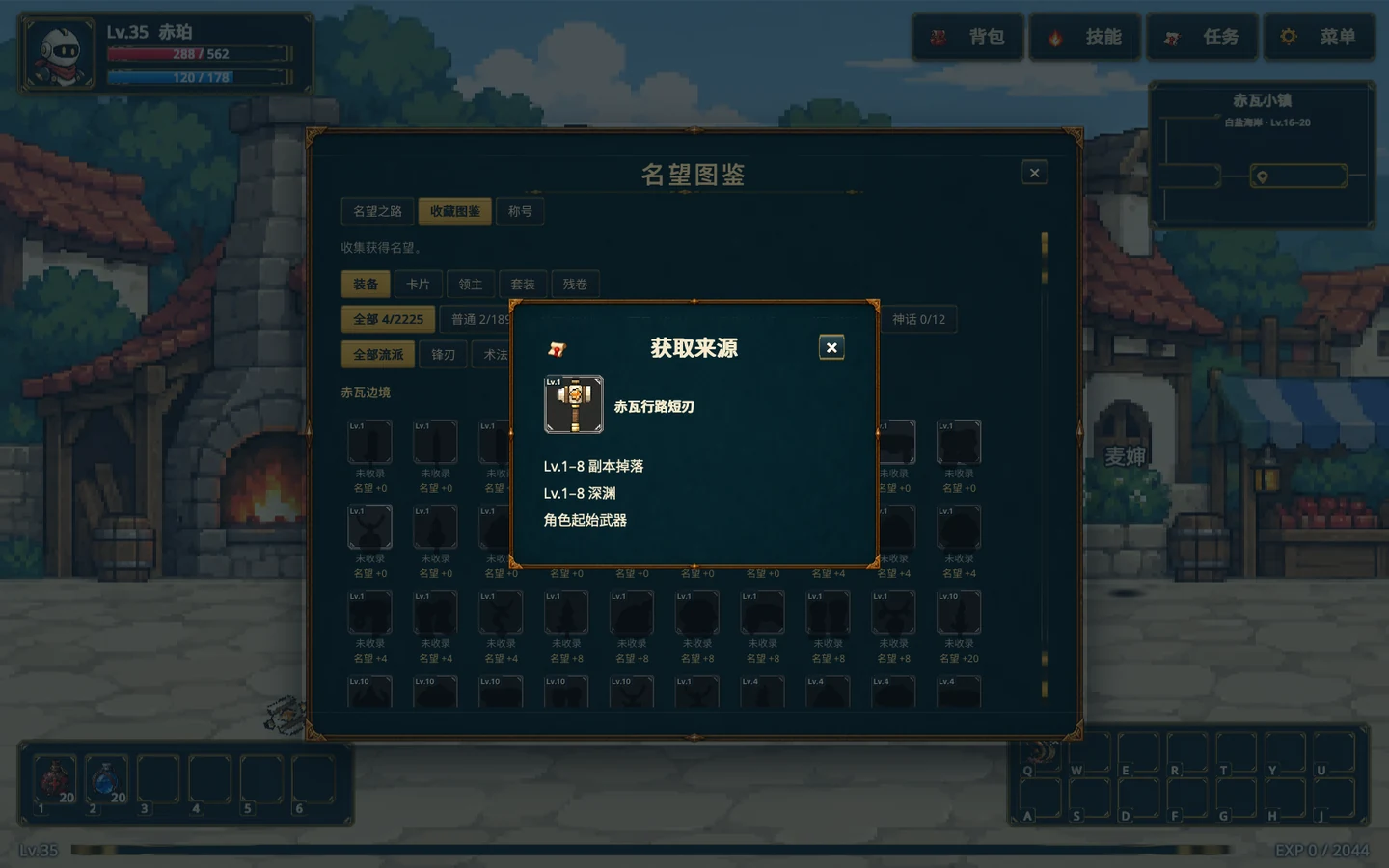
Click an equipment entry in the collection to see its acquisition clues. Gameplay screenshot · click to enlarge -
Go west from the harbor to your courtyard
Leave Redtile Town to the left for Greensail Harbor, then take the far-left exit to Homeward Courtyard. Approach the storage door and press Space or Enter, or open Storage from the adventure menu while in the courtyard.
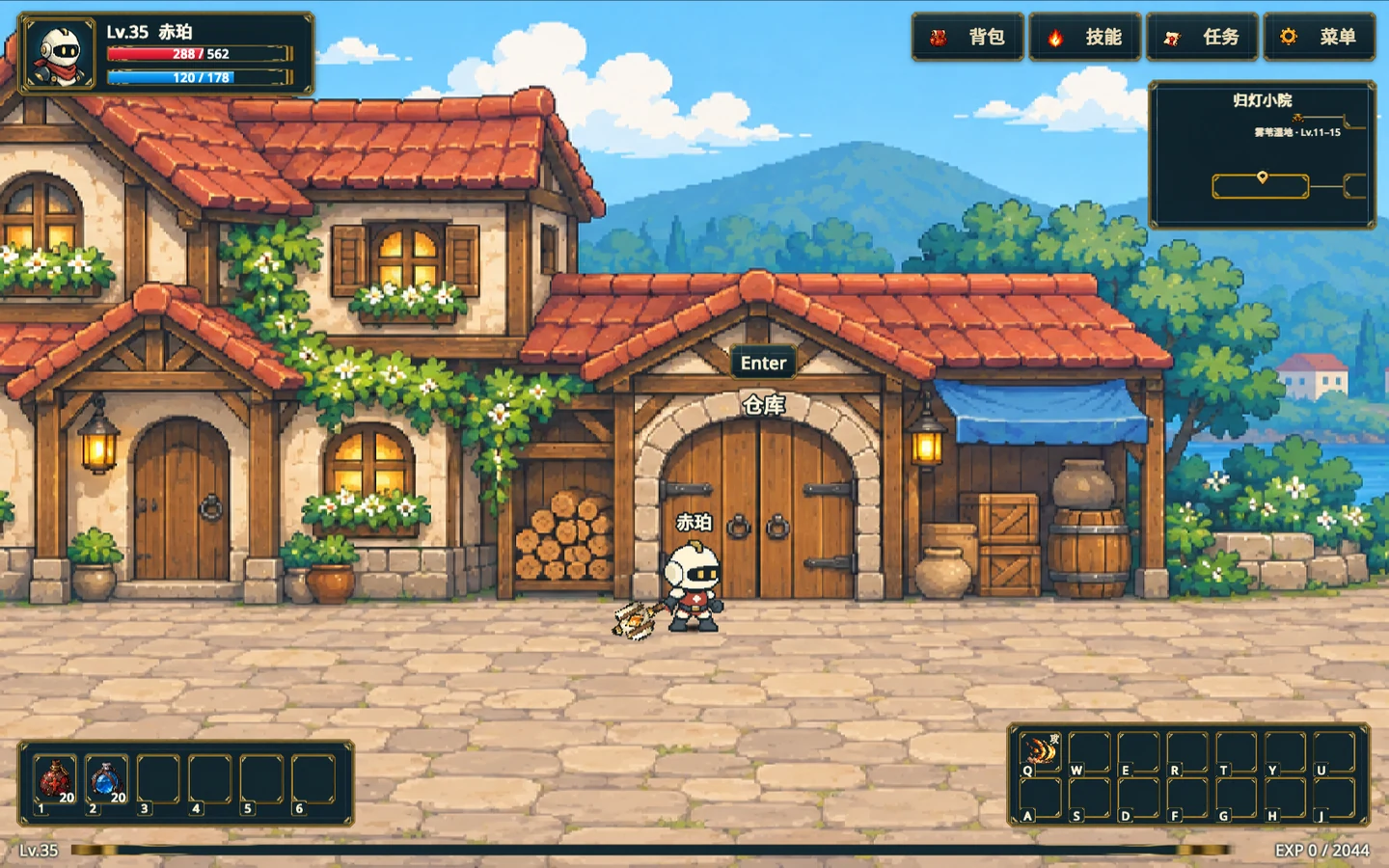
Approach the labeled storage door in Homeward Courtyard. The Enter prompt appears when you are close enough. Gameplay screenshot · click to enlarge -
Choose a storage tab and move the item
Choose Shared storage or Character Storage at the top. Unequip worn gear first, then drag it from the bag on the right to an empty slot on the left. The icon moves to storage. Drag it back to retrieve it. Other characters can access shared storage.
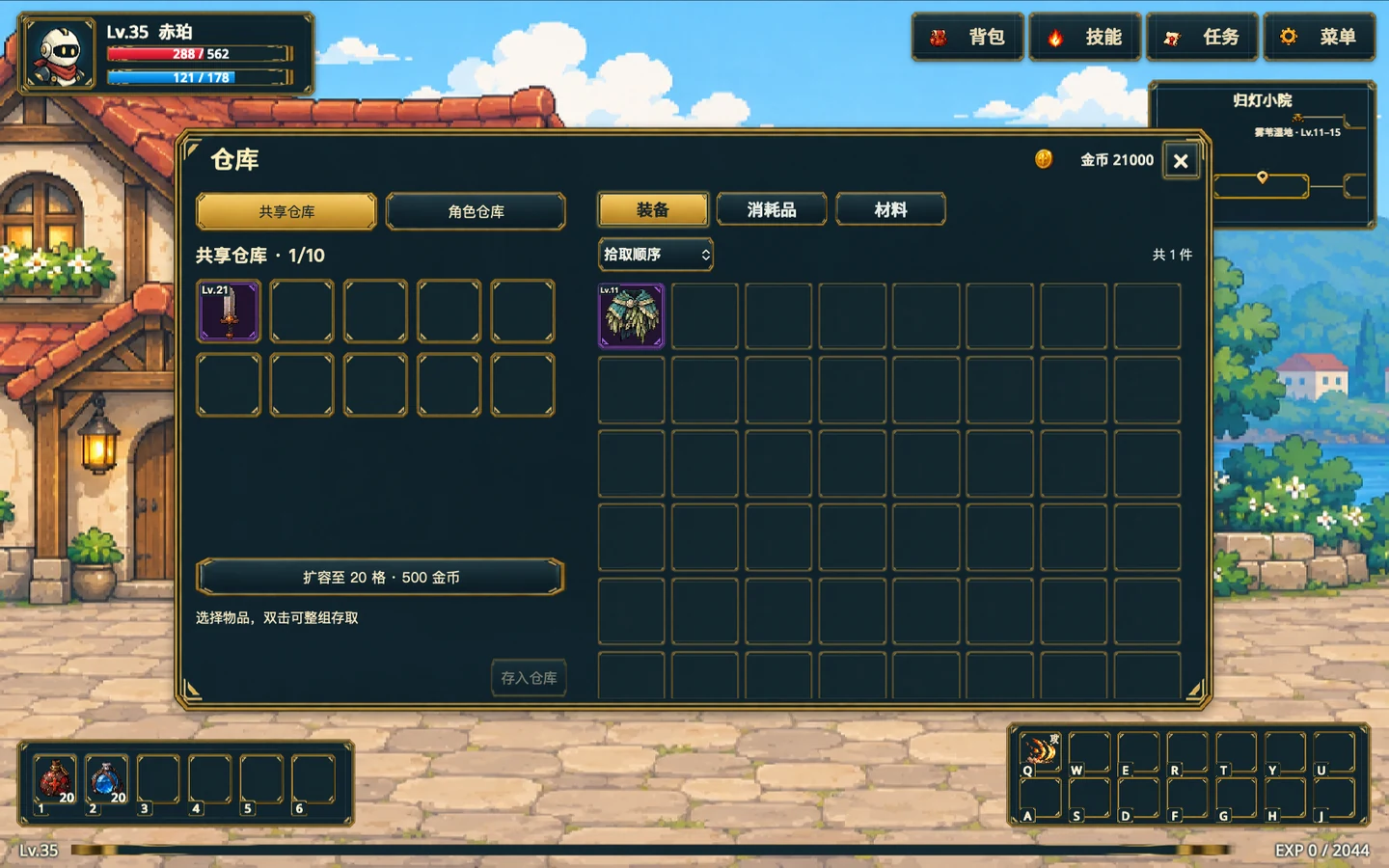
Storage is on the left and the current character’s bag is on the right. Switch storage types at the top. Gameplay screenshot · click to enlarge