
Unlock dungeon difficulties
Open dungeon selection at a region exit, check lock requirements, and work up the tiers in the same dungeon.
- Where to start
- Town region exit → Dungeon selection → Difficulty
-
Choose a region and dungeon
Take the town exit for the region you want. The right exit from Redtile Town leads to Redtile Frontier. Select a dungeon card on the left and check the required level and difficulty on the right. Locked cards show a level or prerequisite dungeon.
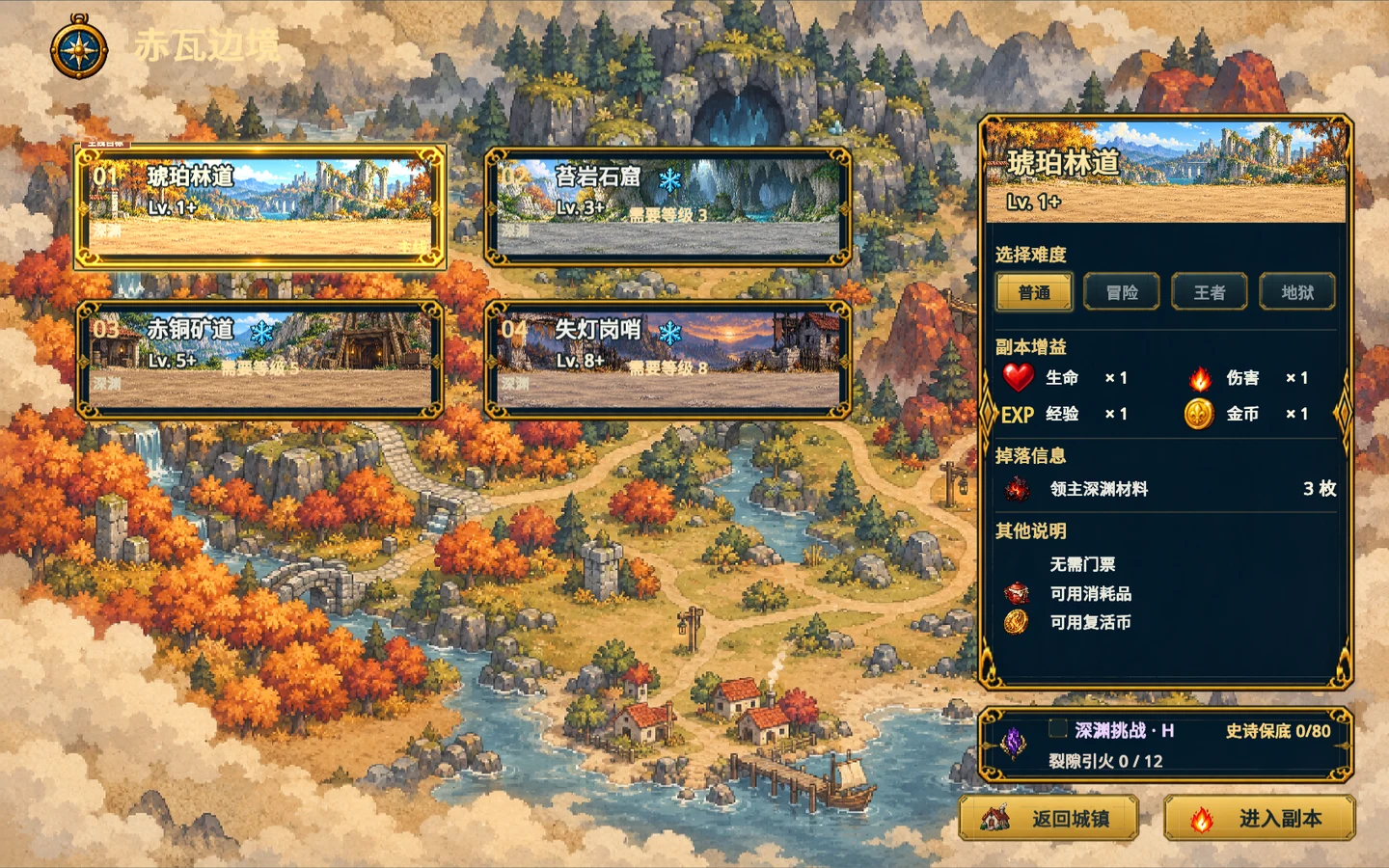
Select a dungeon on the left, check difficulty and requirements on the right, and enter at the lower right. Gameplay screenshot · click to enlarge -
Clear Normal first
Choose Normal for your first run of a regular dungeon and enter. Defeat the boss and finish the results screen. Return to the same dungeon’s selection page to choose Adventure.
-
Unlock King and Hell
Clear Adventure in that dungeon to unlock King, then clear King to unlock Hell. Each regular dungeon uses its own clear record. To play with friends, choose the party option in the town menu to open the lobby.