
Pick a card after a clear
Read the eight-card preview, understand paid discards, and claim your reward.
- Where to start
- Defeat a dungeon boss → Adventure complete → Card draw
-
Review the eight cards
After the boss falls, the game grants clear rewards and opens Adventure complete. The preview shows what all eight cards contain and how much gold you have. Keep all eight if you want to draw right away.
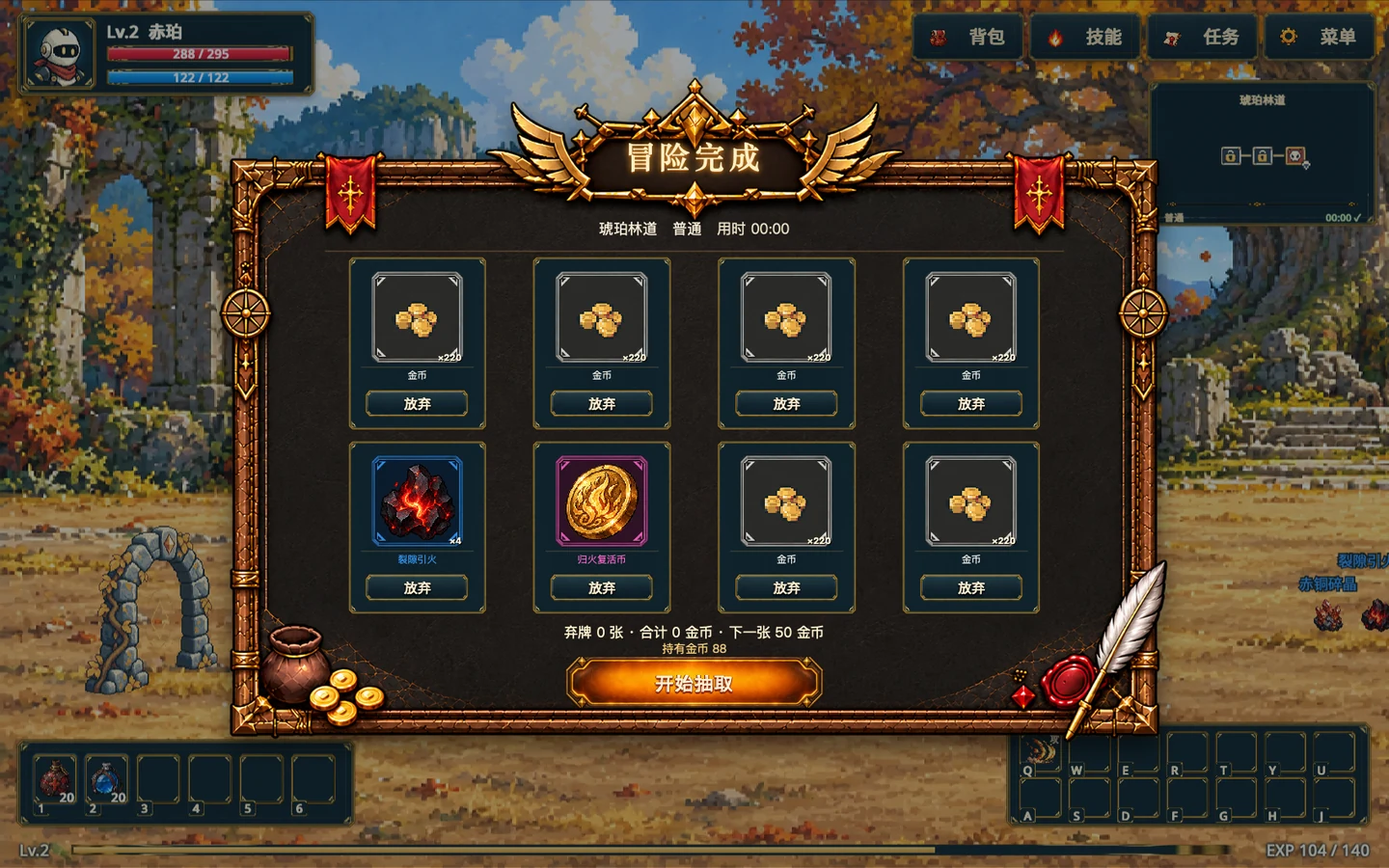
All eight cards are visible before the draw. The discard cost and draw button are at the bottom. Gameplay screenshot · click to enlarge -
Decide whether to pay to discard
Choose Discard below any card you want to remove. The total cost appears below and at least one card must remain. Start draw pays the fee and shuffles the remaining cards face down. Use Restore to undo a discard before starting.
-
Choose one and claim it
When the shuffle ends, choose one available card, check the revealed reward, and select Claim reward. Each clear lets you claim one card. Follow the in-game prompt to continue.
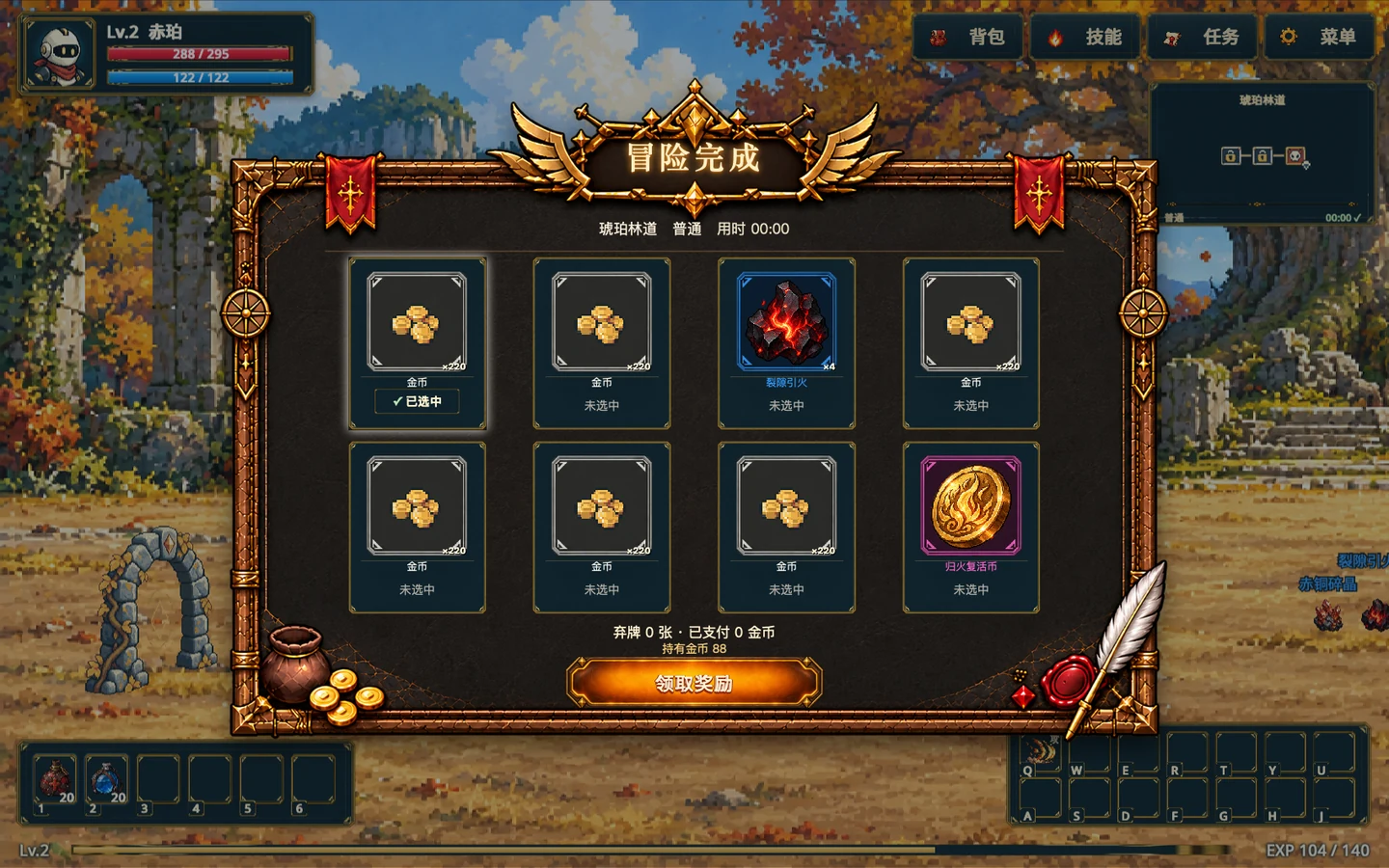
After revealing one card, check the selected marker and press Claim reward below. Gameplay screenshot · click to enlarge