
Put skills on your hotbar
Learn an active skill and bind it to a key you can reach easily.
- Where to start
- Press K in game → Skills
-
Open Skills and learn a move
Press K, or open Skills from the adventure menu. Select an active skill and check its level and SP requirements. Choose Learn when eligible. A skill with a rank can already be bound.
-
Drag or choose a slot
Drag a learned active skill to the hotbar, or open the shortcut control in its details and choose a slot. For example, place Chipo’s Flametide Cleave on Q. Passive skills take effect once learned.
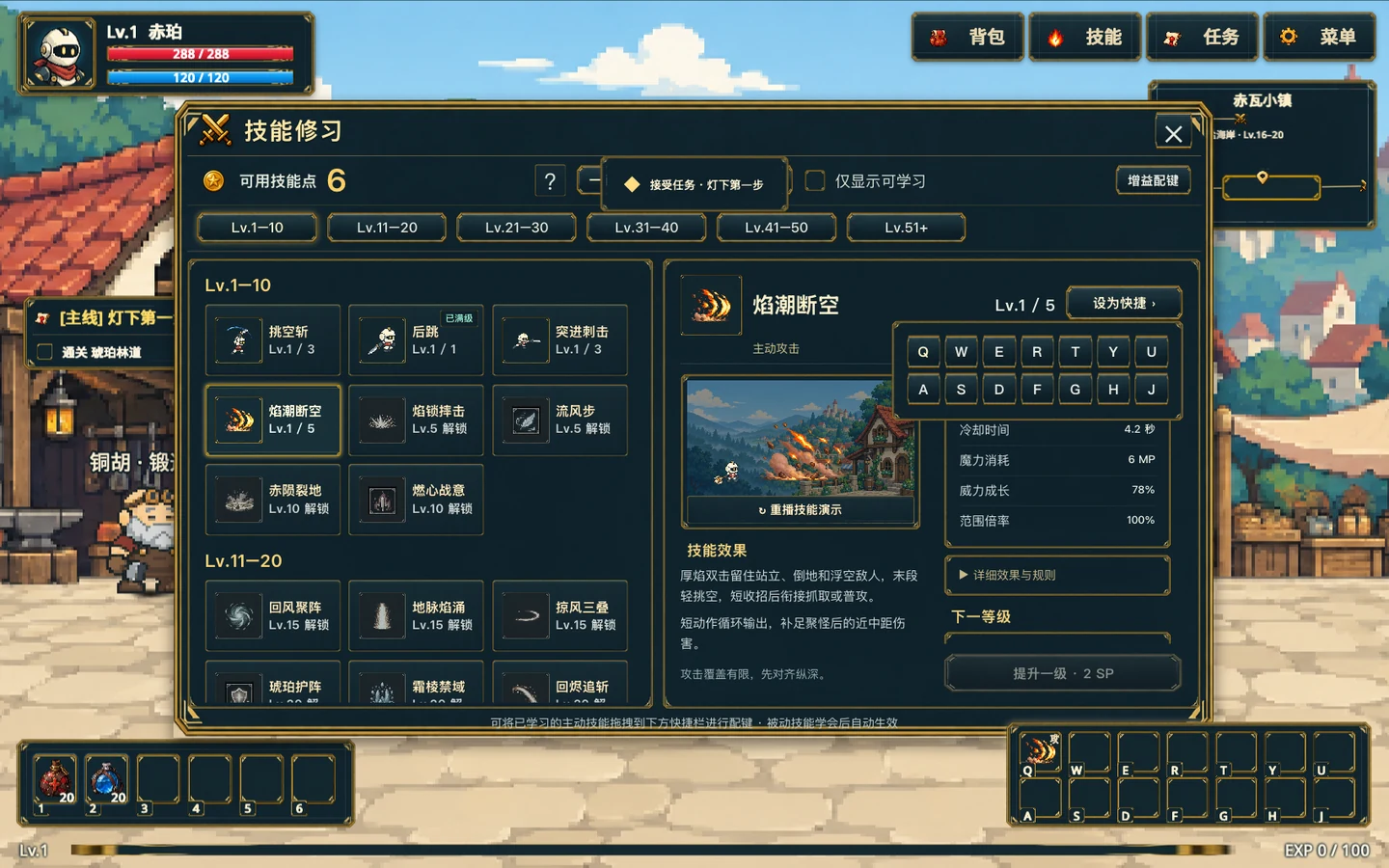
Select an active skill and use the shortcut menu on the right to choose a slot. Gameplay screenshot · click to enlarge -
Try the new binding
Close Skills, confirm that the icon is on the chosen key, and try casting once. A controller uses the first four slots with LB, RB, LT, and RT. Check your input mode under Controls in Settings.