
Create your first character
Choose a class and start your adventure in Redtile Town.
- Where to start
- Main menu → Select Character → Create Character
-
Open a character slot
Open Select Character from the main menu. Click Create Character on an empty slot, or focus an empty slot and press Space. One profile holds up to six characters.
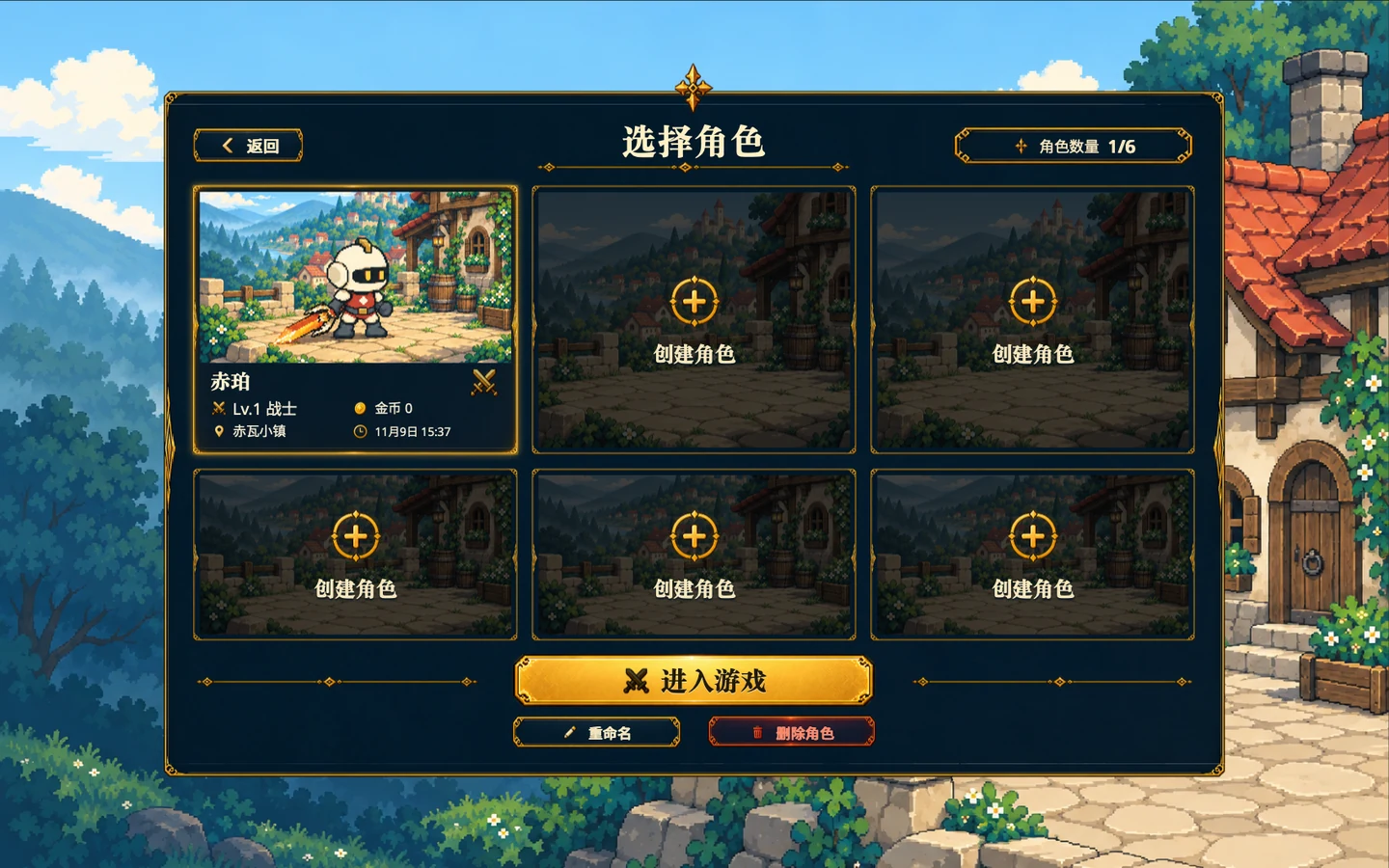
Pick an empty slot here, or use Enter game below to load an existing character. Gameplay screenshot · click to enlarge -
Choose a class and name
Chipo fights up close with a sword. The Violet-Robed Mage casts spells with a staff. Qingzhi the Ranger uses a firearm to shoot from range. Select a class to read its description, enter a name, and choose Create and start.
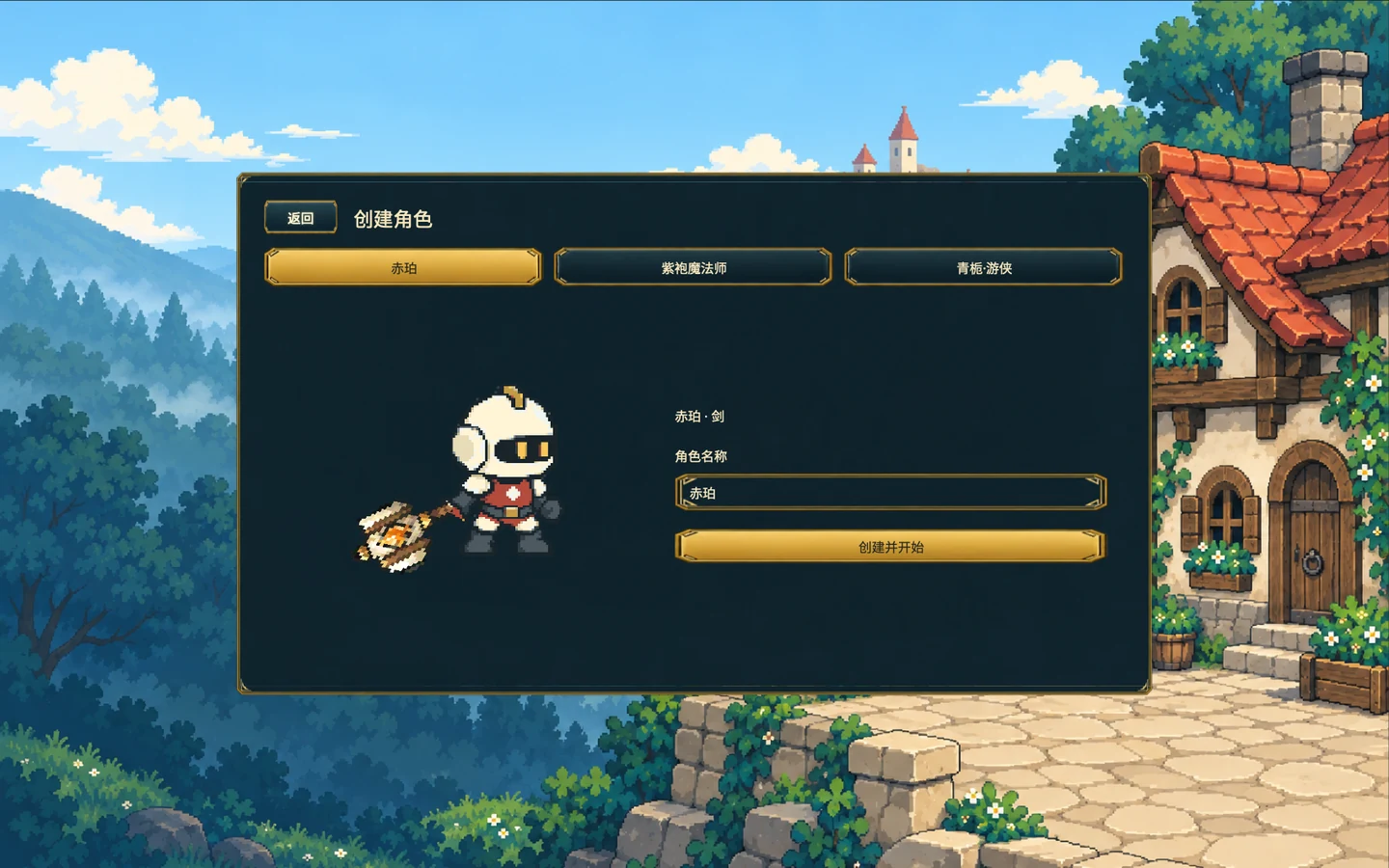
Switch classes at the top and edit the character name on the right. Gameplay screenshot · click to enlarge -
Arrive in Redtile Town
The opening story leads to Redtile Town. Next time, select the same character card and choose Enter game to continue.